Custom Objects Editor
Create, Edit and manage relationships between Sunshine custom objects
About this app
Sunshine Custom Objects Editor allows you to edit, create and link Sunshine objects with a simple interface.
Creating objects
To create an object, select the object type from the left side menu, and then click the plus sign to open the object creation form.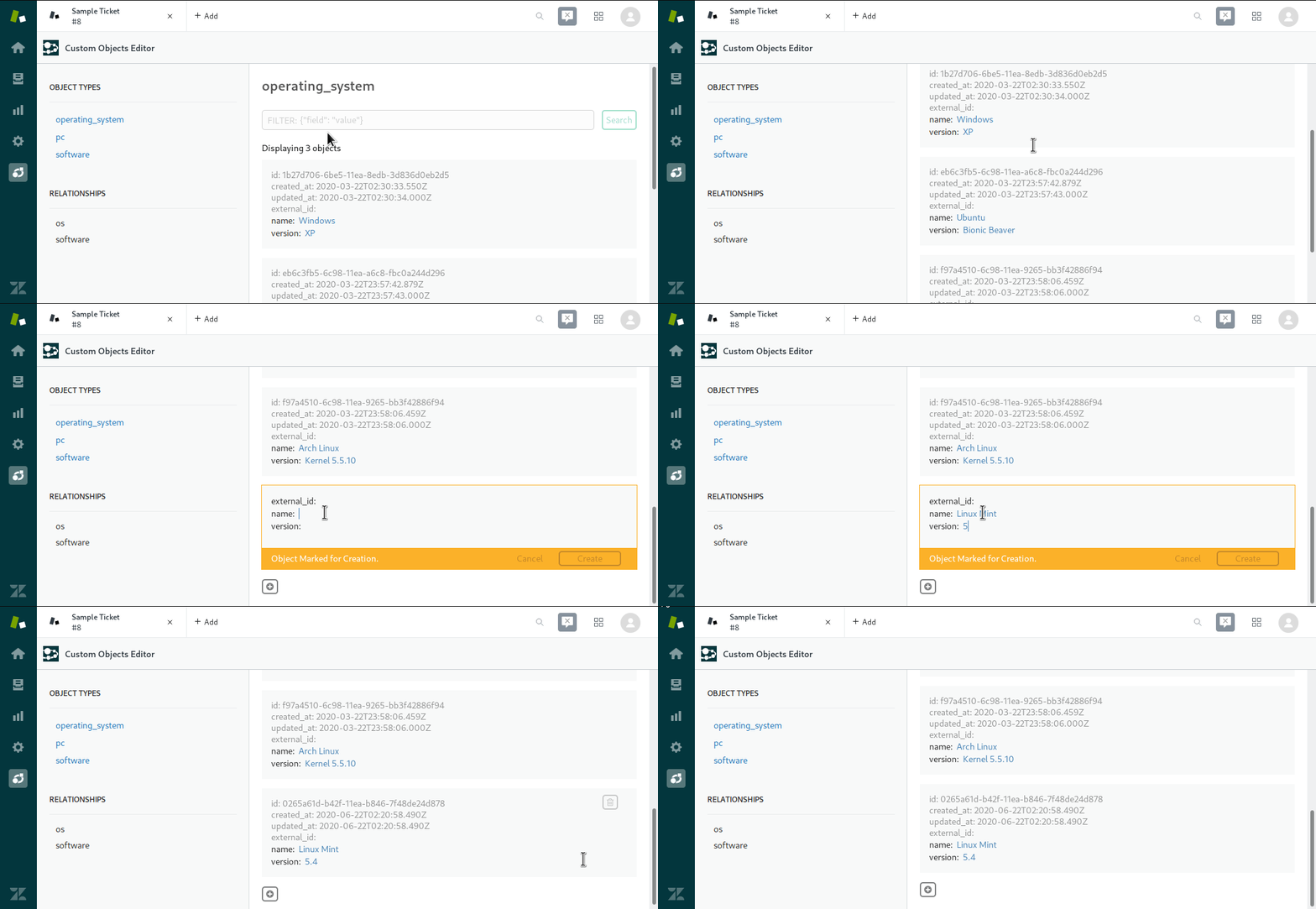
Creating Linked objects
You can create an object and have it immediately associated to a parent via a relationship. For this, open the list of childrens to an object and click the plus sign to open the object creation form.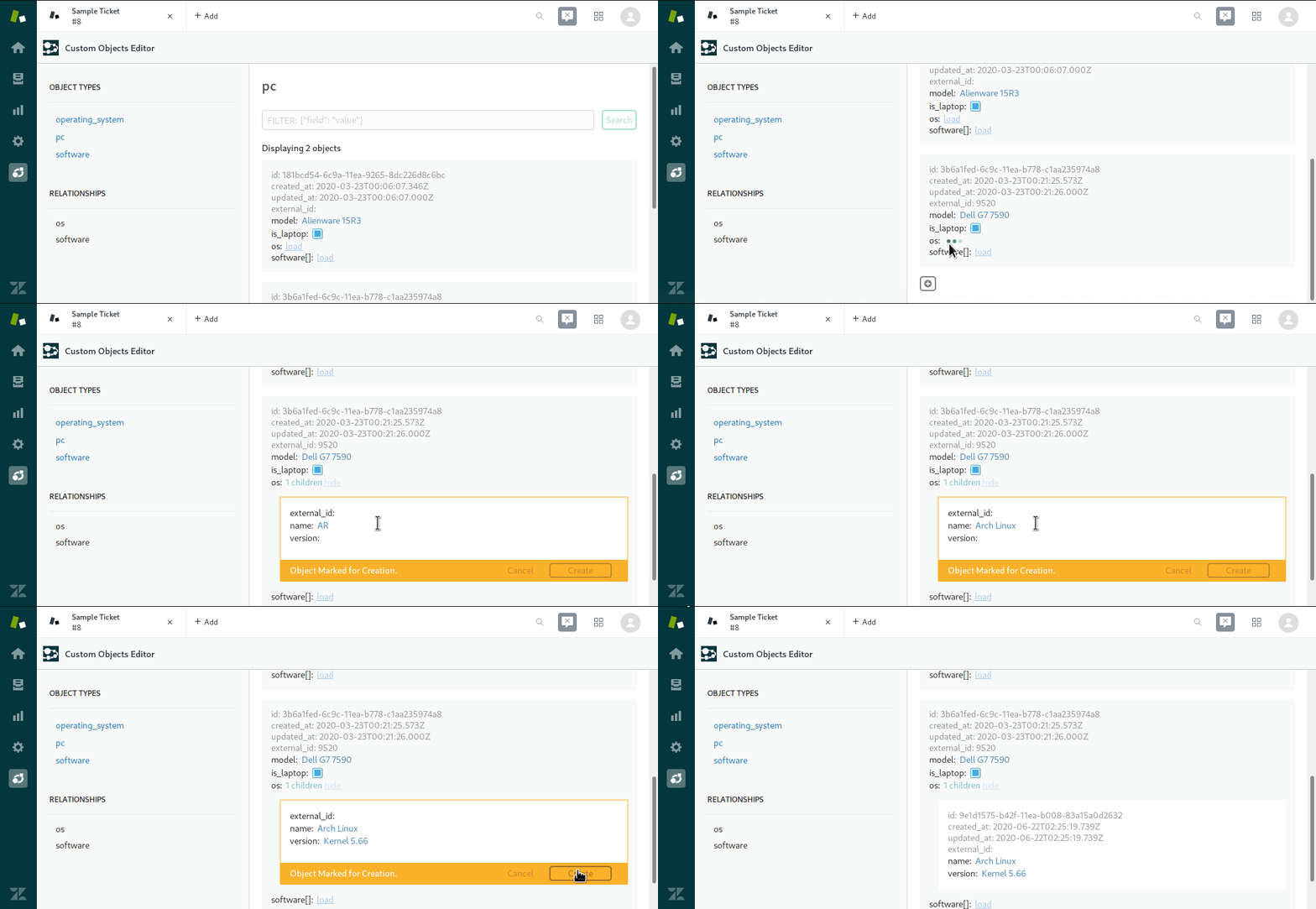
Linking objects
For linking a currently created object with a parent, copy the id of the object you want to use associate and then click the link button when inspecting the associated children for the relation. Use the copied id to link it to its new parent.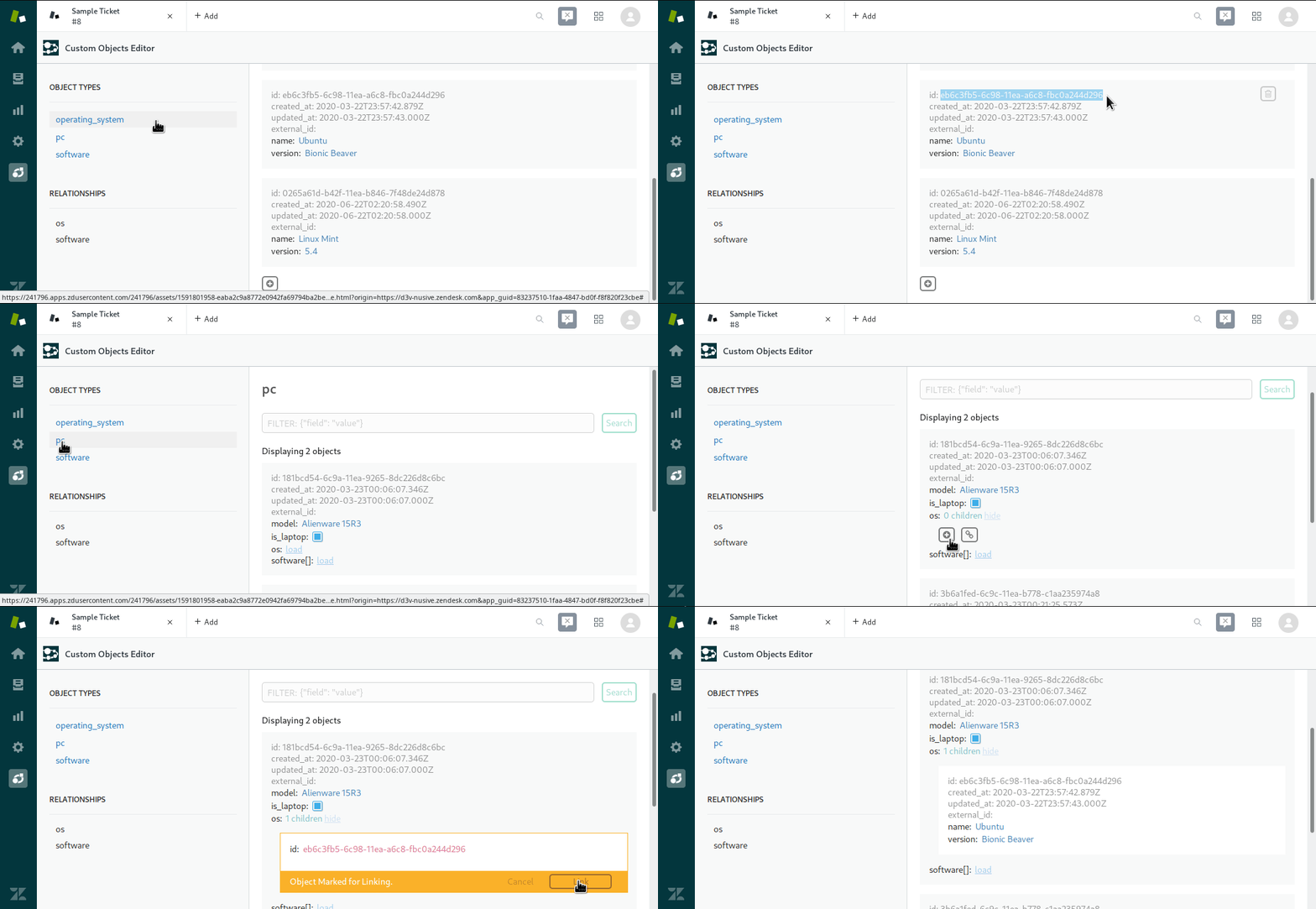
Unlinking objects
If you want to unlink an object without it being removed, simply click the unlink button when inspecting a related object.
Deleting objects
To delete objects, simply click the trash can button in the the object you want to delete.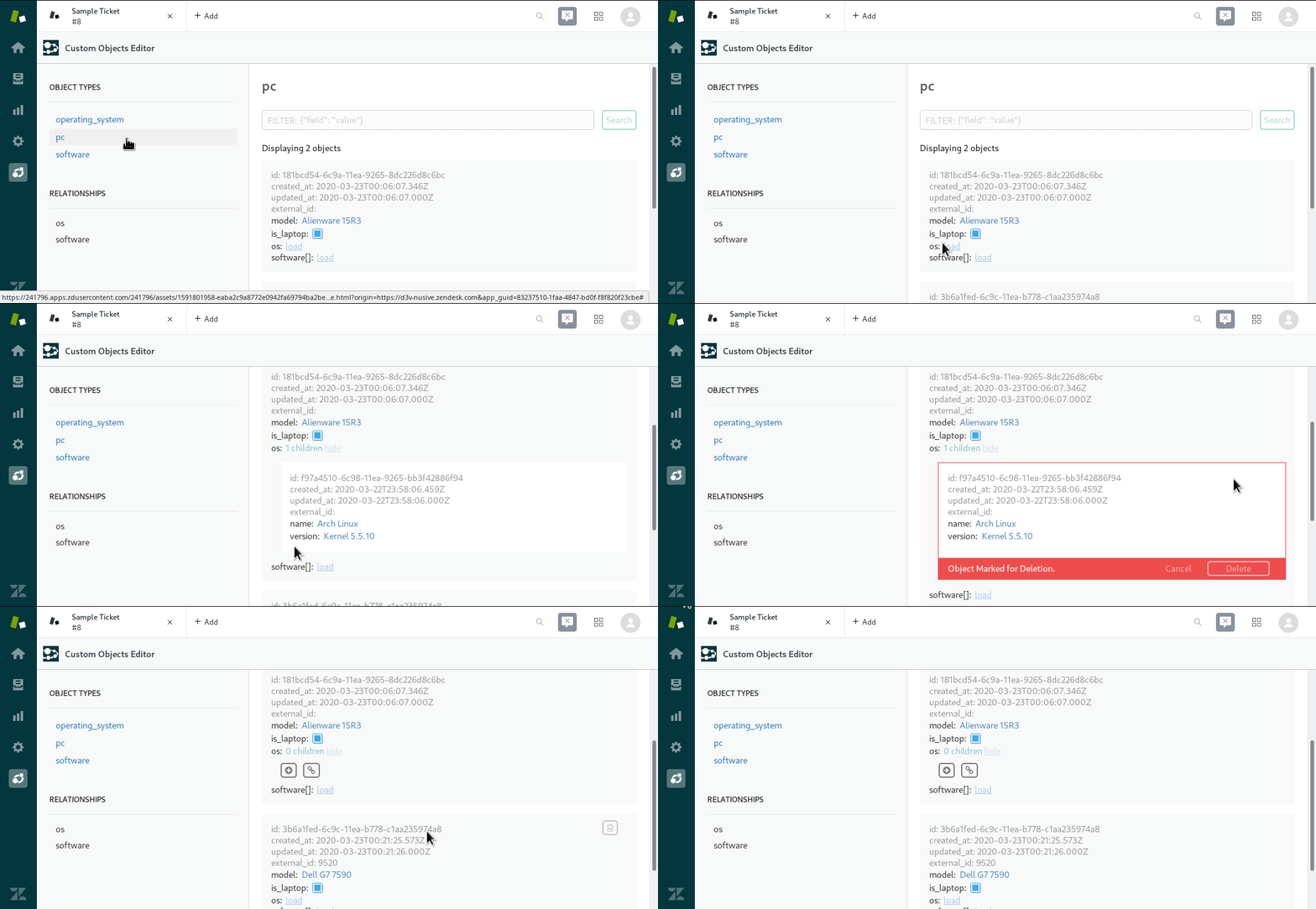
Detalles de la aplicación
Cómo instalar
To install this application simply click the install button. No additional configuration is needed. Once installed, Custom Objects Editor can be accessed by clicking its icon in the left sidebar in the Support admin page.
Déjanos una reseña
Comparte tu experiencia con el resto de la comunidad Zendesk