Nuevo
Kanban Pro
Kanban boards to manage and resolve Zendesk tickets faster.
Funciona con
Support
Desarrollador
GrowthdotAbout this app
Kanban Pro: Visualize your Zendesk ticket workflow
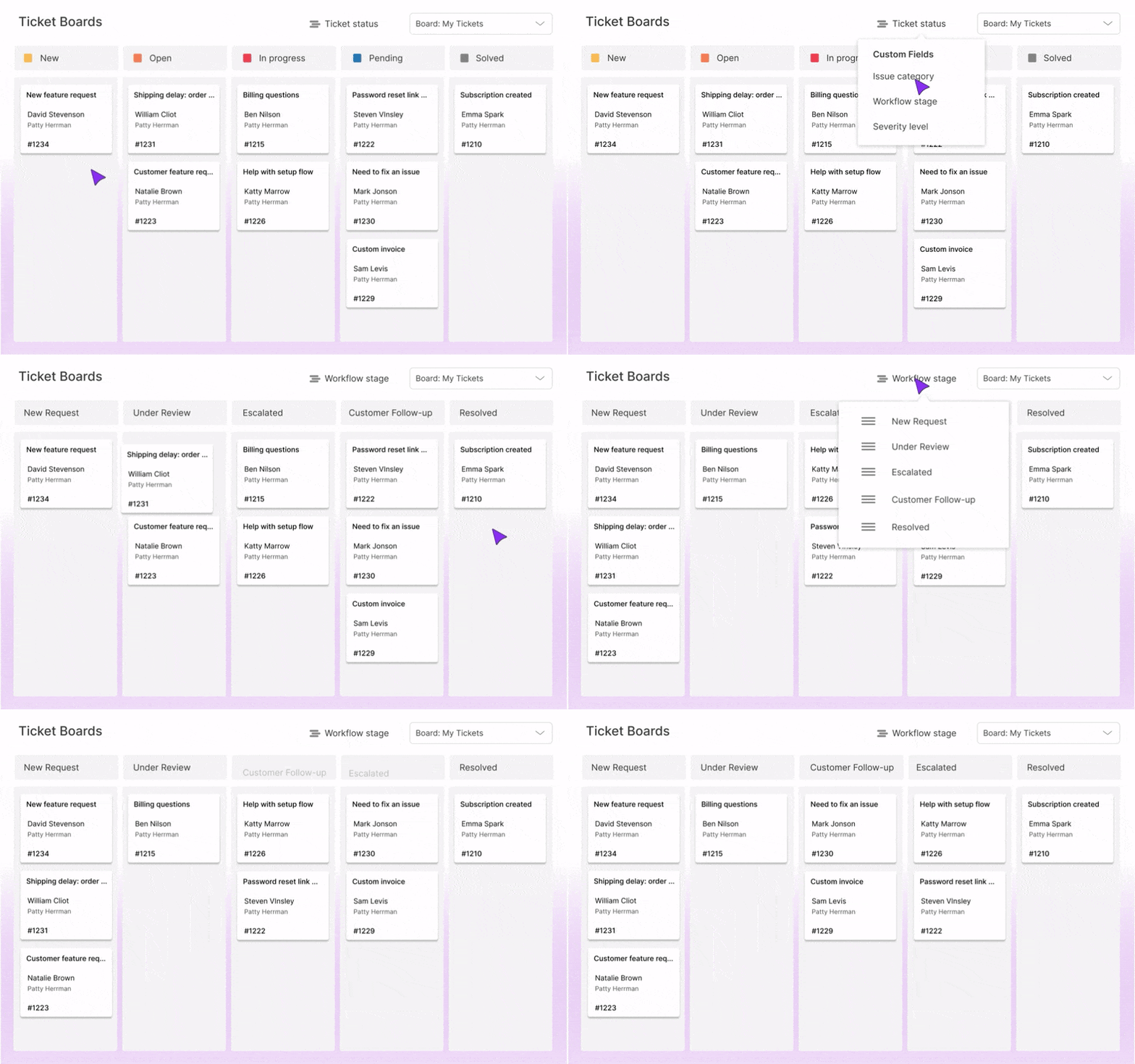
Need a more efficient way to manage tickets, see progress and improve productivity in your Zendesk Support? With Kanban Pro app by GrowthDot, you can transform your long ticket list views into a clean board with drag and drop ticket cards.
Try it for free for 7 days! Simply install a plugin to your Zendesk.
Want to get a personalized app setup? Book a 15-minute demo to customize Kanban Pro for your team and get started faster.
Why Zendesk Kanban Pro?
- Drag-and-drop tickets to update status instantly.
- Customizable boards and columns for any workflow.
- Real-time updates for faster follow-ups.
- Quick filters to find and focus on critical tickets.
- Private and shared boards to control visibility and collaboration.
- Seamless Zendesk integration, no technical setup required.
How Your Team Can Benefit
Support Agents – Stay on Top of Urgent Tickets
Is your ticket list overwhelming? Kanban boards provide a clear, visual overview of your tickets by transforming any of your existing Zendesk views into a Kanban format. This makes it easy to prioritize critical issues and focus on what matters most.

Team Leads – Speed Up Ticket Resolution
If an agent is overloaded, simply drag and drop tickets to reassign them to another team member. Move tickets between columns to maintain a smooth, productive workflow.

Managers – Increase Team Effectiveness
Customize Zendesk Kanban boards for different teams, whether it's billing, tech support, or VIP customers. Filter tickets by department, priority, SLA deadlines, and more to streamline your support process.

Everyone – Simplify Ticket Workflow
Arrange columns in the order your team actually works, from first touch to resolution. Group tickets by custom fields, hide irrelevant stages, and customize the sequence so the board reflects your own flow, stays clean, and reduces confusion.

We Keep Your Data Secure
With Kanban Pro, your data is fully protected. We only access the information needed to power your boards and enable full functionality. All data remains within your Zendesk account, handled securely, and is never shared with third parties.
Get Started Today
Start your 7-day free trial and see how Kanban Pro can transform your Zendesk workflow. Questions? Reach out at contact@growthdot.com.
Detalles de la aplicación
Cómo instalar
Follow these steps to install Kanban Pro and elevate your support workflows:
- Step 1: Install the app from the marketplace by simply clicking the ‘Install’ button on the right.
- Step 2: Choose the Zendesk account where you want to install the app.
- Step 3: Go to Admin → Apps → Manage and make sure the app is enabled.
- Step 4: Open the app and complete the authorization.
- Step 5: Start organizing and managing your tickets on the Kanban board.
Déjanos una reseña
Comparte tu experiencia con el resto de la comunidad Zendesk