Atlas 2026 Edition
Atlas turns Zendesk Guide into a polished, product-quality help center for B2B SaaS, developer tools and fintech. Readers get persistent knowledge-base navigation, an automatic article table of contents and technical docs that stay clear on every screen. Teams get five coordinated palettes, complete coverage from the knowledge base to requests and community, and flexible controls for shaping the experience around their brand.
Diseñador
Elade
About this theme
Atlas turns Zendesk Guide into a help center that feels like part of your
product. It is designed for B2B SaaS, developer tools, fintech and other teams
whose documentation has to earn trust.
Launch pricing. Standard is $49 and Developer is $99 while Atlas is new on
the Marketplace. List price is $299 / $349.
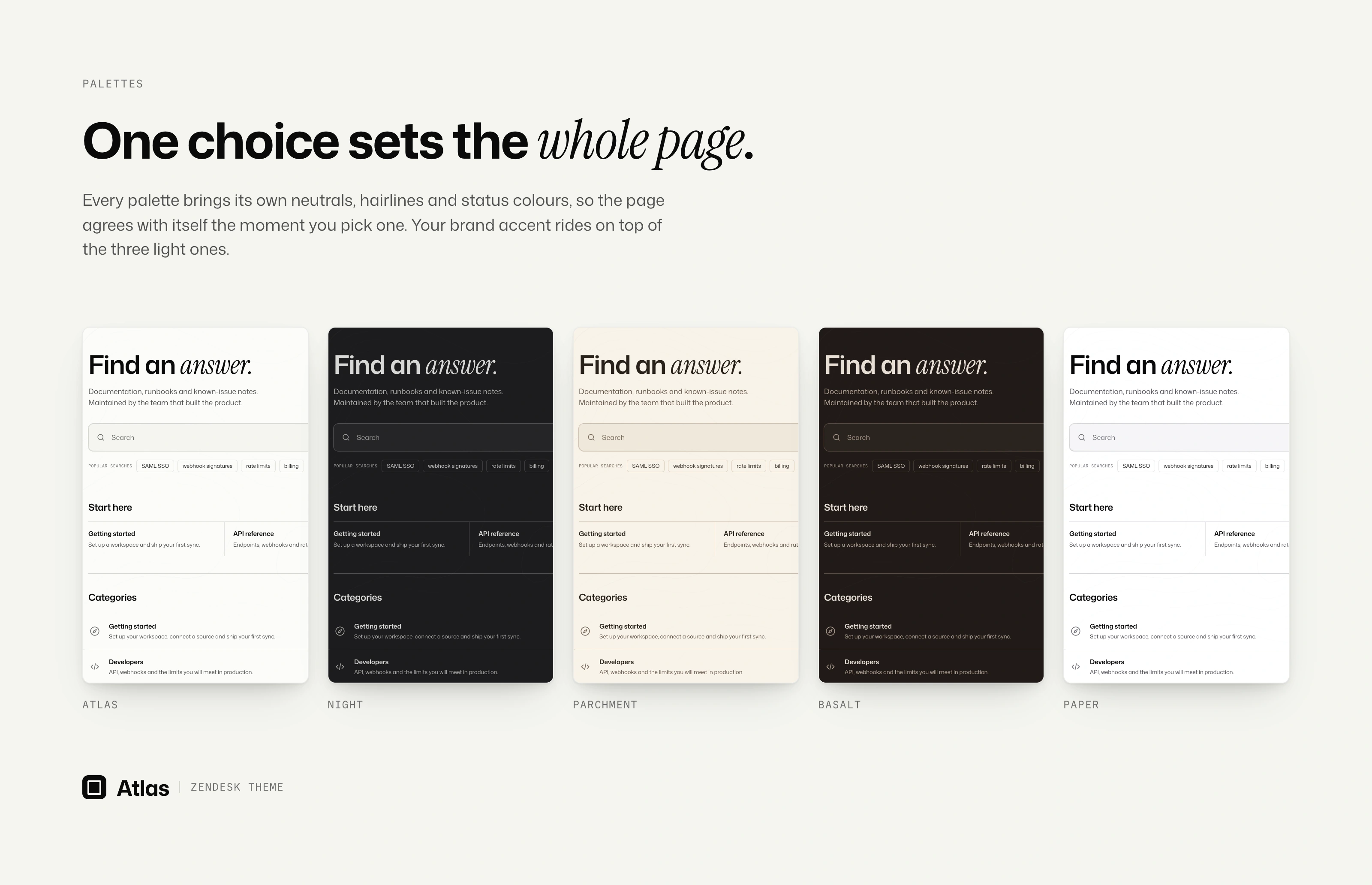
Polished from the first install.
Choose from five coordinated palettes. The light themes pick up your brand
accent; Night and Basalt bring their own carefully tuned contrast. Typography,
spacing and interaction states are already resolved, so the help center can
feel coherent from the first afternoon.
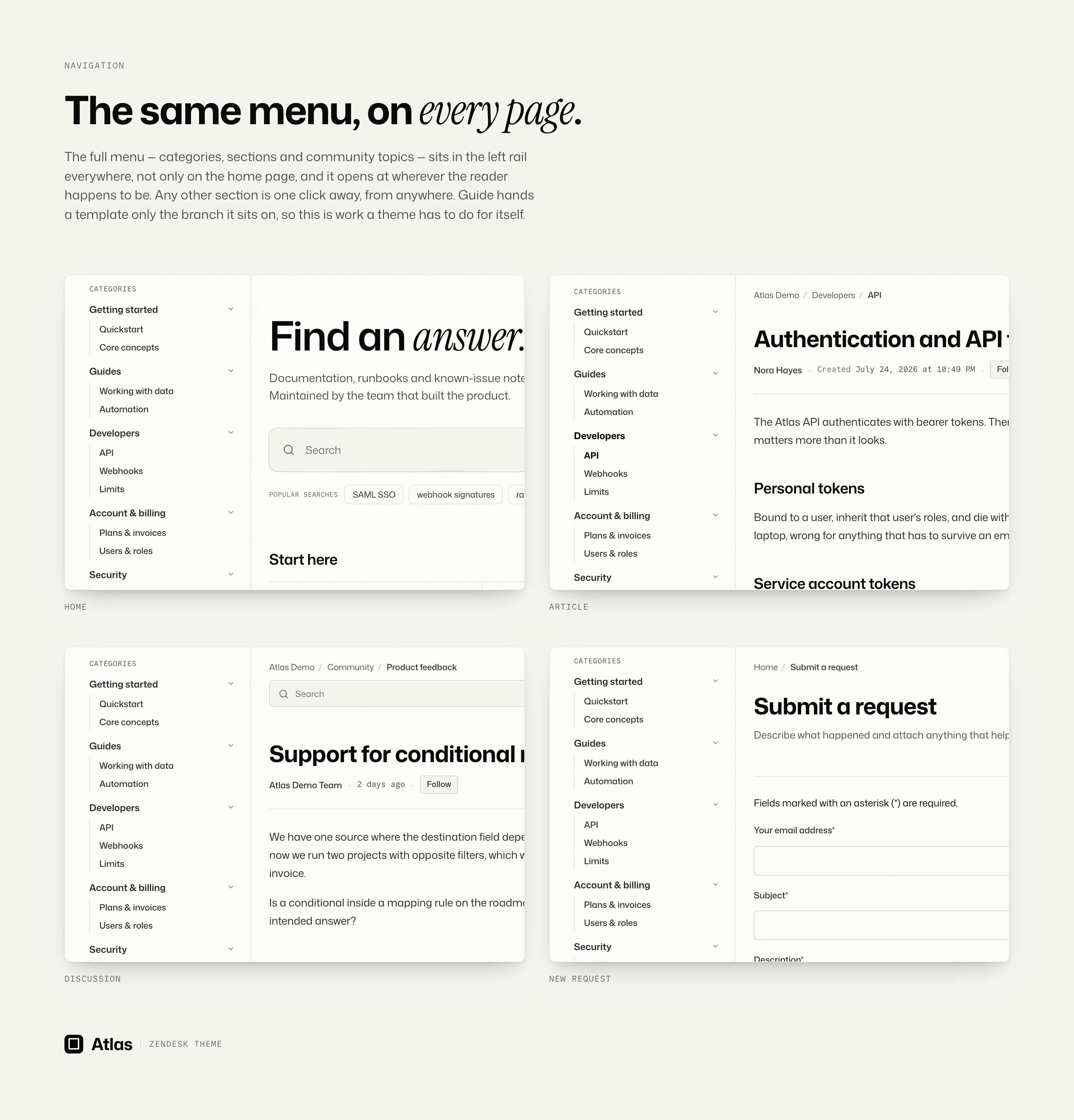
Navigation that stays with the reader.
Categories, sections and community topics all sit in the left rail, on every
page, not only the home page. The rail opens at the reader's current location,
keeping the surrounding documentation visible and the next section close at
hand.
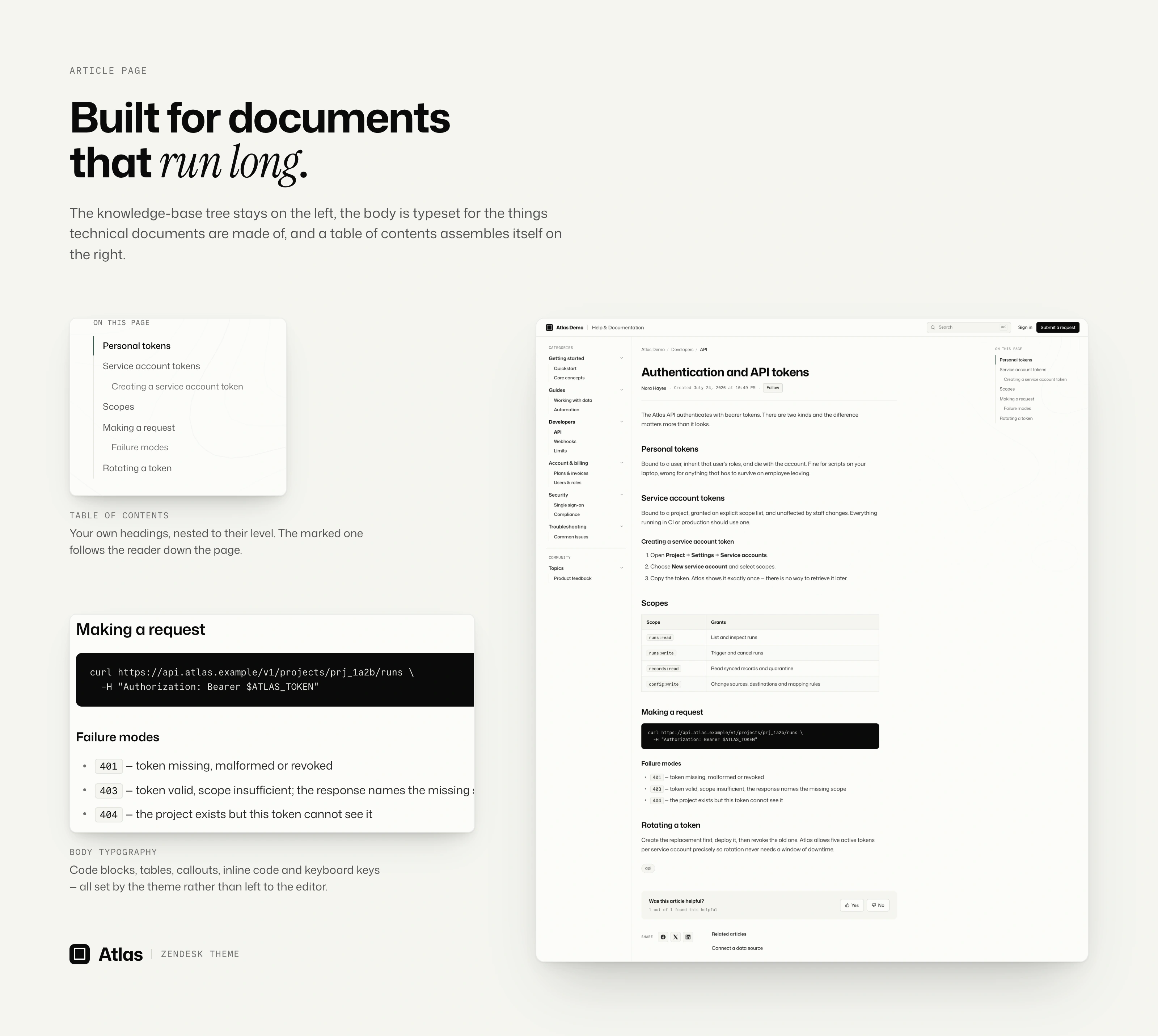
Made for documentation that runs long.
Three columns: sibling articles on the left, the body in the middle, and an
automatic table of contents on the right that follows the section being read.
The contents list builds itself from the headings already in your article.
Code blocks, keyboard shortcuts, tables and callouts each get a deliberate
treatment, while the article measure stays comfortable well past the fold.
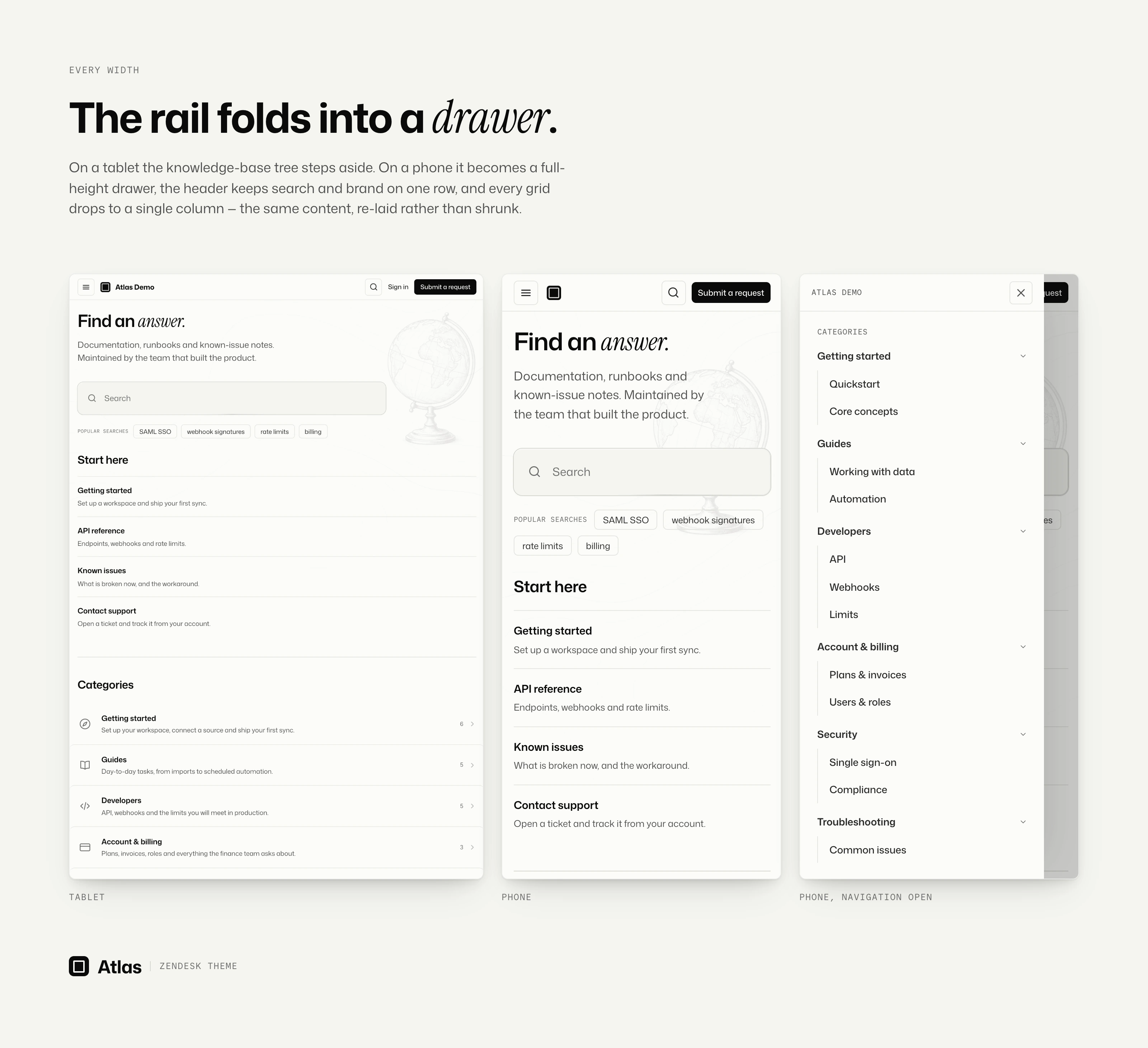
The same clarity on every screen.
On smaller screens, the navigation becomes a drawer and the contents list moves
into the article flow. Wide tables and code blocks scroll inside their own
frames, keeping the page still.
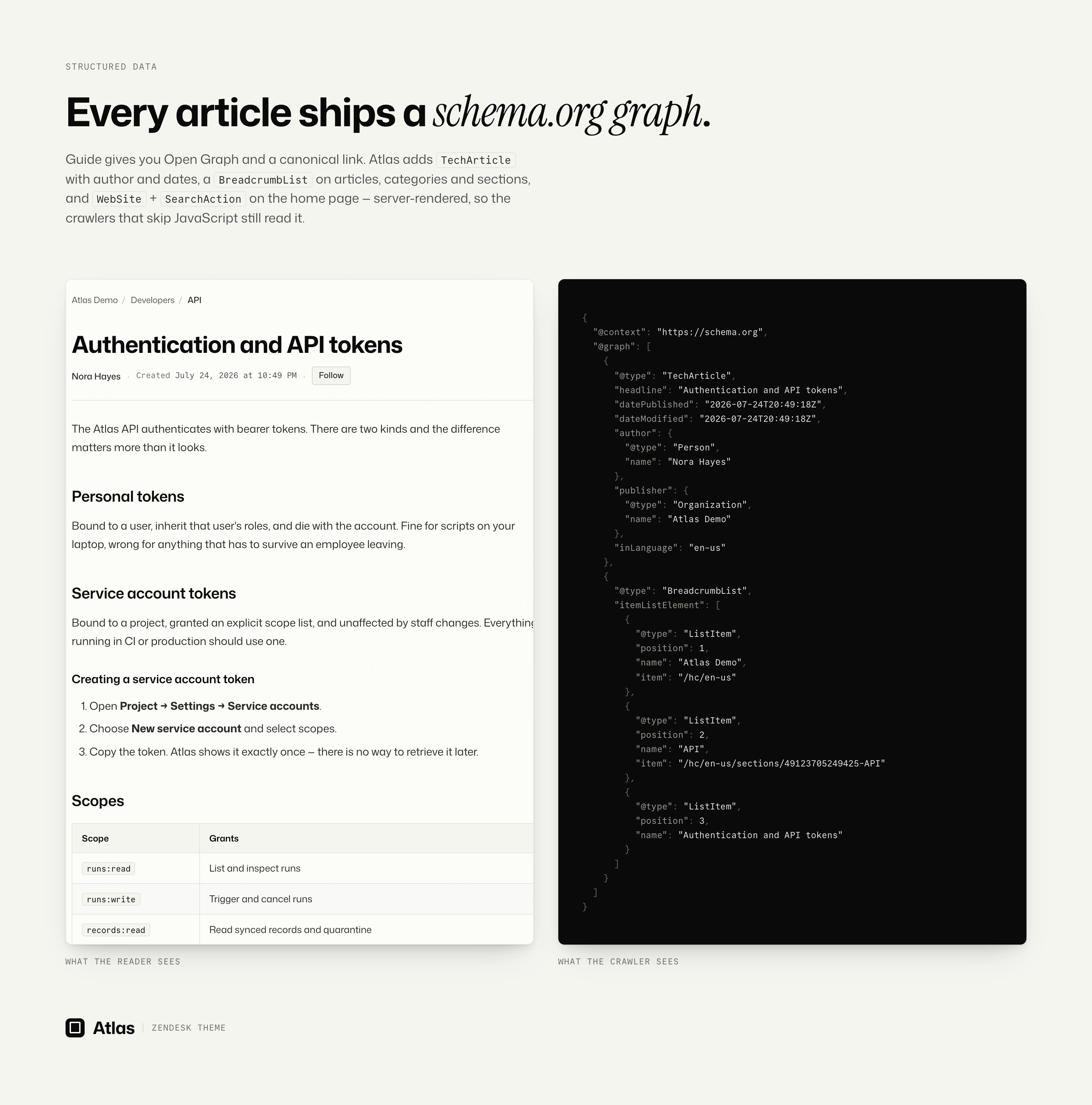
Easier for search engines and AI tools to understand.
Atlas adds structured data for articles, breadcrumbs and help-center search
directly to the page. Search engines and AI assistants can recognize the
relationship between an article, its author, its place in the documentation and
the rest of your site.
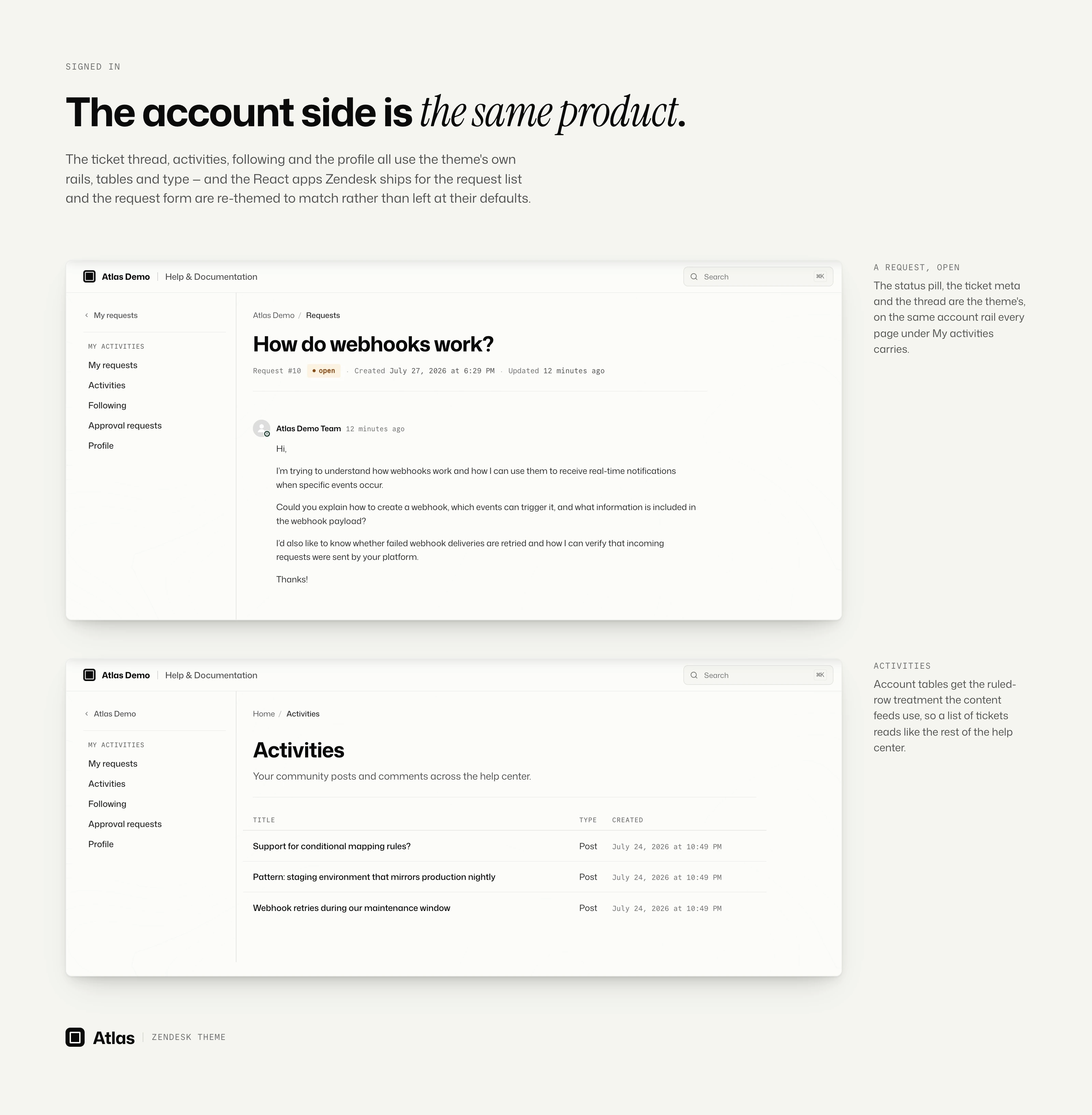
A complete experience after sign-in.
The same design continues through the request form, including conditional
fields and drag-and-drop attachments. Ticket conversations, request lists and
account activity feel like part of the same product rather than a separate
back-office area.
Accessible by design.
Clear focus states, keyboard-friendly navigation, skip links, reduced-motion
support and zoom-friendly layouts are built in. Lighthouse gives the live demo
an accessibility score of 100, from the home page to the signed-in request
form.
Ready for multilingual help centers.
Atlas follows the language and text direction selected in Guide. Standard
interface labels are localized by Zendesk, while the complete layout adapts
automatically between left-to-right and right-to-left languages. Your brand
messages, navigation and footer copy remain yours.
Shape it around your content.
Connect the header to your product, add up to four home-page highlights, build
three footer columns, choose a palette and font, and decide which optional
blocks belong on each page. Fill a block and it appears; leave it empty and it
stays out of the way.
More than an article theme.
Atlas covers all 24 Guide templates, including community, requests, service
catalog and approval flows. The whole help center shares one visual language,
from the public home page to signed-in account screens.
Choose the license that fits your team.
Standard is the theme, installable on every help center and brand on your
Zendesk account, configured through the Customizer. Developer adds
source-code access through the Edit Code button, on Guide Professional and
above. Both are one-time payments.
Every purchase includes ongoing support and free updates.
Detalles de tema
Déjanos una reseña
Comparte tu experiencia con el resto de la comunidad Zendesk